An AI kitchen remodel is one of the easiest ways to visualize a complete kitchen renovation before spending a single dollar on construction. I love how artificial intelligence can instantly generate kitchen design ideas, helping us explore different layouts, cabinet styles, countertops, backsplashes, lighting, and color palettes in just minutes. Whether you’re planning a modern farmhouse kitchen, coastal kitchen, open-concept remodel, or luxury kitchen makeover, AI design tools make it fun and surprisingly simple to see your dream kitchen come to life.
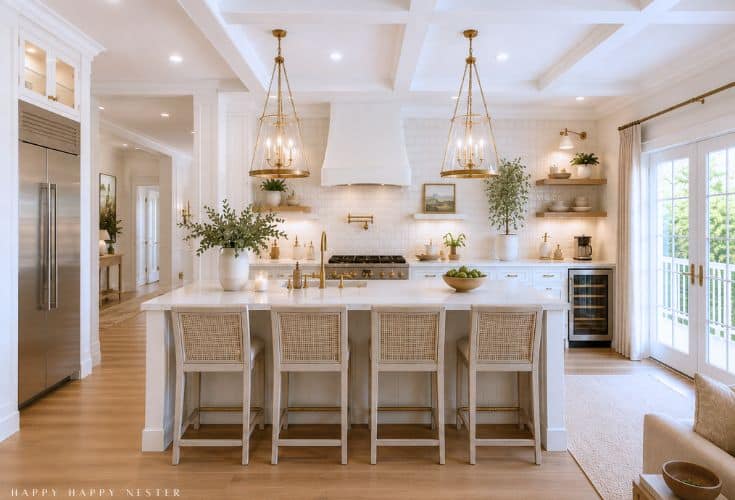
“When we moved into our Florida home, I spent hours imagining different kitchen layouts. Being able to see those ideas come to life instantly would have saved me so much time!”
On all of our previous homes and remodels, we spent years imagining what our spaces could become. Many weekends were filled with sketching ideas, discussing layouts, and trying to think outside the box. Even after months—or sometimes years—of planning, we often still couldn’t fully picture the finished project until we finally sat down with a kitchen designer.
Fast forward to today, and the process looks completely different. Now, I can upload a photo of my current kitchen into ChatGPT, describe the style and features I’m hoping for, and within a minute or two, it generates a beautiful design concept. It’s honestly amazing to see ideas come to life so quickly. What once took countless conversations, drawings, and revisions can now happen in just minutes. I still find it a little mind-blowing every time I use it.
How to Use ChatGPT to Help Design Your Kitchen
Using ChatGPT to design your kitchen is much easier than you might think. You don’t need to be techy or have any design experience. All you need is a photo of your current kitchen, a few ideas of what you like, and a little imagination.
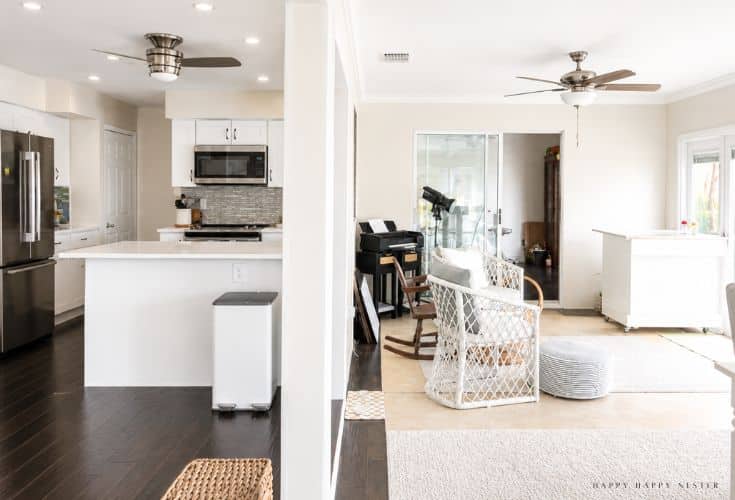
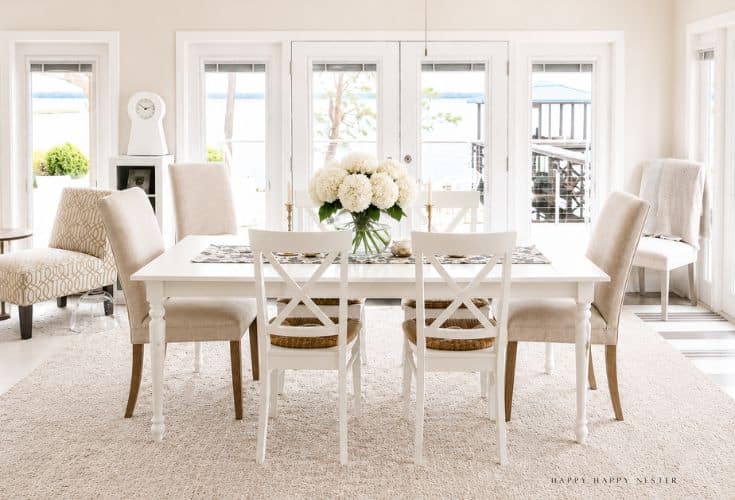
Step 1: Take a Clear Photo of Your Kitchen
Start by taking a few photos of your kitchen in good lighting. Try to stand back far enough so ChatGPT can see the cabinets, countertops, floors, walls, windows, appliances, and overall layout.
If you can, take photos from a few different angles. The more information you provide, the better your design ideas will be.
Step 2: Upload Your Kitchen Photo
Next, upload your kitchen image into ChatGPT. ChatGPT can work with uploaded images and help create or edit design ideas based on the photo you provide. You can also describe changes you want made to an existing image.
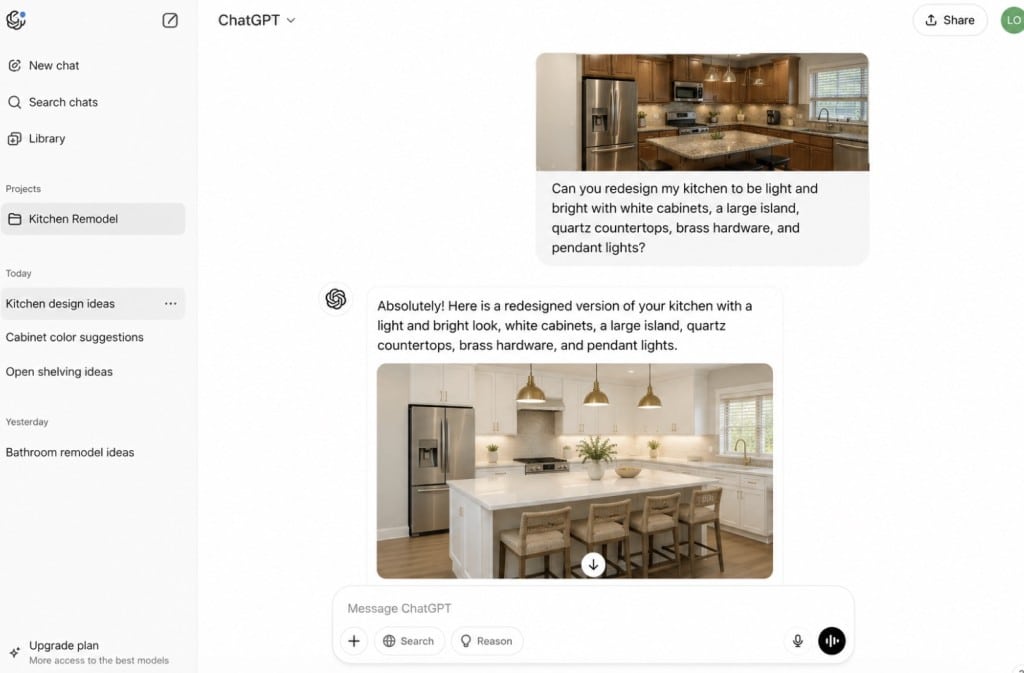
Step 3: Describe Your Dream Kitchen Style
Now tell ChatGPT what kind of kitchen you would love. Be as specific as possible, but don’t worry if you don’t know all the design terms.
You might say something like:
“Create a light and airy kitchen design with white cabinets, warm wood accents, brass hardware, quartz countertops, and a cozy coastal style.”
Or:
“Redesign this kitchen to feel brighter, more open, and more modern, but still warm and inviting.”
Step 4: Include the Changes You Want to See
This is where you can have fun. Ask ChatGPT to change anything you are curious about, such as cabinet color, backsplash tile, flooring, lighting, island size, hardware, wall color, or open shelving.
You can also ask it to keep certain things the same. For example:
“Keep the existing windows and appliances, but update the cabinets, countertops, backsplash, and lighting.”
Step 5: Ask for Several Design Options
Instead of stopping at one design, ask ChatGPT to create a few different versions. This is one of my favorite parts because it can come up with ideas I never would have imagined.
Try asking for:
- A coastal kitchen design
- A modern farmhouse kitchen design
- A traditional white kitchen
- A warm wood kitchen
- A budget-friendly kitchen refresh
- A high-end designer-inspired kitchen
Seeing several options side by side can help you figure out what you really love.
Step 6: Make Small Edits to the Design
Once ChatGPT creates a design, you can ask for changes. If the cabinets are too dark, ask for a lighter color. If the room feels too modern, ask for a softer or more classic look.
You might say:
“Make the kitchen feel warmer and more inviting.”
“Change the island to a soft blue.”
“Add pendant lights over the island.”
“Make the backsplash more subtle.”
ChatGPT can edit images by using your written instructions, and in some cases, you can select a specific area of the image and describe what you want changed.
Step 7: Save Your Favorite Ideas
Once you have a design you love, save the image so you can refer back to it later. You can use it as inspiration when shopping for tile, paint colors, cabinet styles, lighting, and hardware.
These images are also helpful when talking with a contractor, kitchen designer, or even a family member who needs to see your vision.
Step 8: Use It as Inspiration, Not a Final Blueprint
AI kitchen designs are wonderful for inspiration, but they are not a replacement for professional measurements, permits, contractors, electricians, plumbers, or kitchen designers.
Think of ChatGPT as a creative starting point. It helps you dream, visualize, and narrow down your style before you move into the more technical parts of a remodel.
Step 9: Keep Refining Your Ideas
The more you work with ChatGPT, the better your results will become. Try changing your wording, adding more details, or asking for a completely different style.
For example:
“Make this kitchen feel like a Serena and Lily inspired coastal home.”
“Create a warm lake house kitchen with white oak cabinets and soft blue accents.”
“Design a timeless kitchen with marble-look quartz, classic lighting, and traditional details.”
In just a few minutes, you can explore ideas that might have taken weeks or months to imagine on your own.
Step 10: Have Fun With the Process
The best part about using ChatGPT for kitchen design is that there is no pressure. You can try bold ideas, subtle ideas, expensive-looking ideas, budget-friendly ideas, and everything in between.
It gives you the freedom to experiment before making any real-life decisions. And honestly, seeing your kitchen transformed right in front of you is pretty amazing.
AI Kitchen Remodel Ideas That Make Designing Your Dream Kitchen So Much Fun
Designing a kitchen used to mean collecting magazine clippings, creating Pinterest boards, and hoping everything came together once the renovation started. Today, an AI kitchen remodel can take much of the guesswork out of the process. With just a photo of your current kitchen, artificial intelligence can generate fresh design ideas and show you what different styles, colors, and layouts might look like in your space.
Whether you’re planning a full renovation or simply dreaming about future updates, these tools make it easy to experiment with ideas before making any big decisions. It’s a fun and creative way to explore possibilities and discover design details you may never have considered on your own.
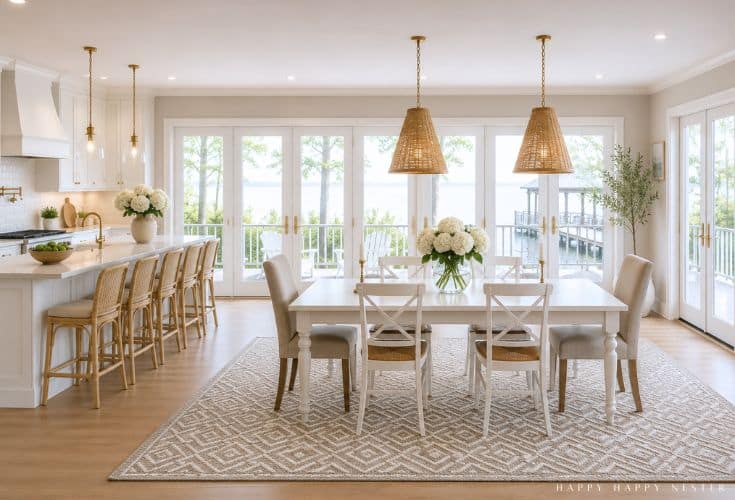
For this image, I asked ChatGPT to design a kitchen in the style of Serena & Lily. I even uploaded a photo of my Dash & Albert rug so it could include it in the design. While it didn’t recreate the rug perfectly, it got pretty close. What impressed me most was how quickly it pulled together the overall look and feel of the room, giving me a beautiful vision of what the space could become.
See Your Space in a Whole New Way
One of my favorite things about using design technology is how quickly it can transform a room. Upload a photo of your kitchen, and within seconds you’ll see completely different looks ranging from light and airy coastal designs to cozy farmhouse kitchens and sleek modern spaces.
Sometimes all it takes is seeing a fresh perspective to spark an idea you instantly love.
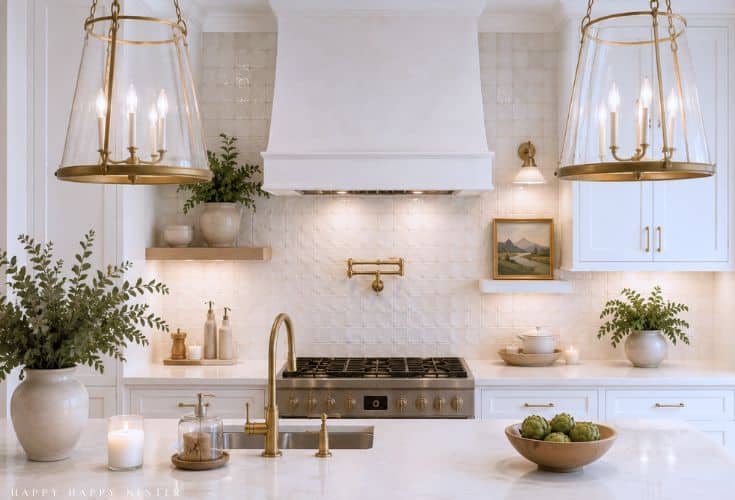
Try Different Layouts Without Moving a Single Wall
If you’ve ever wondered what your kitchen would look like with a larger island or a more open floor plan, virtual planning tools make it easy to explore those options.
You can experiment with:
- Larger kitchen islands
- Additional storage solutions
- Different dining arrangements
- Open-concept designs
- Better appliance placement
- Improved traffic flow
The best part is that you can test multiple ideas before spending time or money on a renovation.
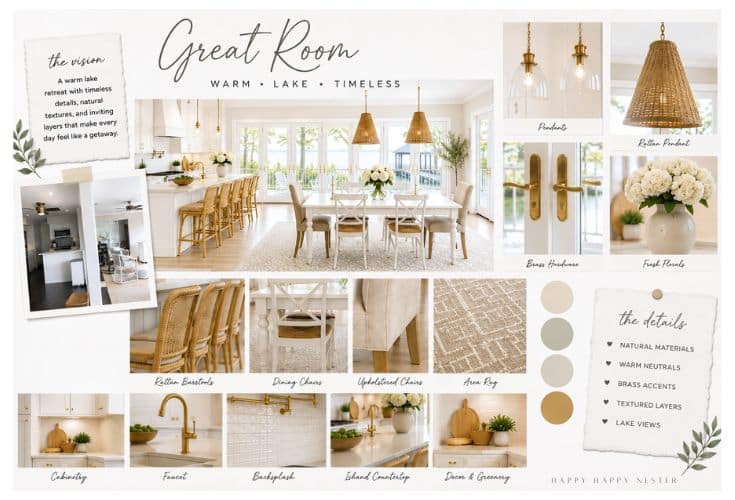
Mood Boards
I was curious about the details so I had ChatGpt design a mood board that displays the accent choices!
Mix and Match Finishes With Confidence
Choosing cabinets, countertops, flooring, and backsplashes can feel overwhelming. There are so many beautiful options available that it’s hard to know where to start.
Digital design tools allow you to try different combinations in minutes. You might discover that warm wood cabinets pair beautifully with white quartz countertops, or that a soft blue island is exactly the touch your kitchen needs.
It’s like having a design assistant helping you narrow down your choices.
Save Time During the Planning Process
Let’s be honest—kitchen renovations involve a lot of decisions. Having a way to visualize ideas before shopping for materials can make the entire process feel less overwhelming.
Many homeowners use these tools to:
- Explore design ideas faster
- Compare multiple styles
- Communicate their vision to contractors
- Feel more confident about selections
- Avoid costly design mistakes
A little planning upfront can make the renovation journey much smoother.
Why I Love Using AI
As a one-person business owner, AI has completely changed the way I work. It often feels like I have two or three extra employees helping me every day, but at a fraction of the cost. Here are some of the biggest reasons I rely on AI:
- It acts like a business manager. AI helps me analyze my return on investment (ROI), evaluate where I’m spending my time and money, and make smarter business decisions.
- It provides creative support. Whenever I need fresh ideas for blog posts, social media, recipes, decorating projects, or marketing campaigns, AI helps me brainstorm new possibilities.
- It’s like having a professional designer on call. In just minutes, AI can generate stunning room makeovers and design concepts, helping me visualize spaces like my kitchen before making any changes.
- It introduces ideas I would never have considered. One of my favorite things about AI is that it often suggests layouts, color palettes, designs, and solutions that I might never have dreamed up on my own.
- It saves an incredible amount of time. Tasks that once took me days to complete can now be finished in minutes, allowing me to focus on the parts of my business I enjoy most.
- It helps conserve my energy. Running a business alone requires wearing many hats. AI takes some of the workload off my plate so I can spend less time feeling overwhelmed.
- It saves money. AI allows me to accomplish work that might otherwise require hiring additional help, making it a cost-effective solution for a small business owner.
- It helps me do more as a solo entrepreneur. Realistically, hiring multiple employees isn’t an option for many small business owners. AI fills that gap and gives me the support I need to grow my business without stretching myself too thin.
For me, AI isn’t about replacing people—it’s about giving small business owners access to tools that help them work smarter, save time, and bring their ideas to life. It allows me to accomplish more than I ever could on my own.
Check Out These Fun Posts!
I’ll be sharing all of our future home projects here on the blog, and I’m especially excited about what’s next. This fall, we’ll be giving our primary bedroom a makeover, and I can’t wait to see how it turns out. After moving into our new home earlier this year, it’s been so much fun adding our own style and personality to each space. Slowly but surely, this house is starting to feel like home.
Cheers,

Come follow along on my Instagram account to catch all my latest projects and updates!

- Paper Christmas Tree DIY - October 16, 2026
- Fall Table Decor (Amazon) - October 14, 2026
- Pumpkin Puff Pastry with Pumpkin Pie Filling - October 12, 2026

Leave a Reply